
website traffic but no inquiries
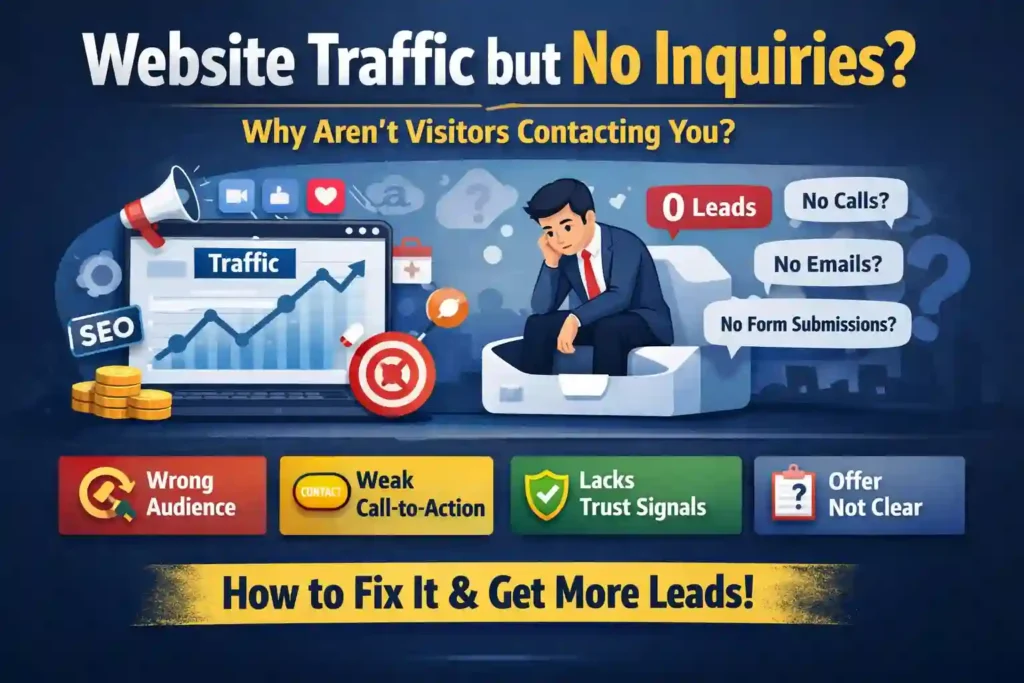
Website Traffic but No Inquiries? The Real Reasons Visitors Don’t Contact You (and How to Fix It)
You’re not alone.
A business website can get hundreds or even thousands of visitors and still generate zero inquiries—no calls, no WhatsApp messages, no form submissions, no emails.
And the most frustrating part?
It feels like you’re doing everything right:
Ads are running
SEO is bringing traffic
The website looks “fine”
People are clearly visiting
But nothing is converting.
This problem is extremely common across service businesses, local companies, B2B, and even eCommerce.
In this article, we’ll break down the real-world reasons why you have website traffic but no inquiries, and how to fix it using practical, proven steps—without guessing.
The Real Meaning of “Website Traffic but No Inquiries”
The problem
You’re getting traffic, but visitors are not taking action:
No contact form submissions
No phone calls
No WhatsApp clicks
No quote requests
No bookings
The cause (in most cases)
The issue is almost never “people don’t want your service.”
It’s usually one of these:
Wrong type of traffic
Weak intent match
Confusing messaging
Poor trust signals
Bad CTA structure
Tracking issues
Friction (too hard to contact)
Pricing or offer mismatch
The solution
You need to optimize for conversion, not just traffic.
Traffic is only step 1.
Inquiries happen only when the visitor:
Understands what you offer
Believes you’re credible
Feels safe contacting you
Sees a clear next step
Has enough motivation to act
Step 1: Check If You’re Getting the Right Visitors (Traffic Quality)
The problem
Many websites get traffic that looks good in Google Analytics, but it’s not the right audience.
This happens especially with:
Broad keywords
Cheap ads optimized for clicks
Viral social media traffic
Poor targeting in Meta ads
Blog posts attracting non-buyers
The cause
Traffic can be:
Informational (“what is AC gas refill?”)
Comparison-based (“best AC repair in Doha”)
Transactional (“AC repair near me call now”)
If most of your visitors are informational, they may never inquire.
The solution
You need to match your content and pages to buyer intent.
High-intent traffic usually comes from:
Service + location keywords
Problem-based searches
“Near me” searches
Emergency searches
Brand searches
Example
A website gets 1,500 visits/month from:
“how to fix AC not cooling”
“AC maintenance tips”
But the service page gets only 30 visits/month.
So inquiries are low because the traffic is mostly learning—not buying.
Expert tips
Look at which pages get the most traffic
Check the keywords bringing traffic
Measure time on page and bounce rate
Focus on service pages and local pages
Common mistakes
Running ads to a blog post instead of a service page
Targeting too broad audiences (“Qatar” instead of “Doha + service”)
Writing content that attracts students, not customers
Prevention
Build separate pages for:
Informational content (blogs)
Transactional intent (service pages)
Local intent (area pages)
Step 2: Your Website Might Not Be Answering the Visitor’s First Question Fast Enough
The problem
People land on your website and leave within 5–10 seconds.
Not because your service is bad—but because they didn’t instantly understand:
What you do
Who you do it for
Where you operate
Why they should trust you
The cause
Most websites are built like brochures, not like conversion tools.
Common issues:
Headline is vague (“Welcome to our website”)
No location mention
No clear service list
No clear next step
The solution
Fix the top section of your homepage and service pages.
Your first screen (above the fold) must clearly show:
Your main service
Your service area
Your main CTA (Call / WhatsApp / Book)
A trust signal (rating, years, warranty, etc.)
Example (bad vs good)
Bad:
“Providing quality solutions since 2018.”
Good:
“AC Repair & Maintenance in Doha — Same-Day Service Available.”
Expert tips
Use one clear headline
Add a subheading that explains the benefit
Use one primary CTA button
Show phone and WhatsApp immediately
Common mistakes
Using sliders (they reduce clarity)
Making users scroll to find contact info
Trying to sound “corporate” instead of clear
Prevention
Test your site with a simple rule:
If a stranger lands on your site, can they answer within 5 seconds:
“What is this business and how do I contact them?”
Step 3: Your Call-to-Action (CTA) Is Weak or Hidden
The problem
Visitors may want to contact you—but your website doesn’t guide them.
The cause
Many sites:
Only have “Contact Us” in the menu
Have forms at the bottom only
Use unclear buttons (“Submit”)
Don’t offer WhatsApp (in markets like Qatar this is huge)
The solution
Make contacting you effortless.
You should have:
Sticky WhatsApp button (mobile)
Click-to-call phone number
Contact buttons on every service section
A short form (name + phone + message)
Realistic scenario
A user is on their phone, AC not cooling, stressed.
They won’t fill a 9-field form.
They want:
WhatsApp
Quick call
Fast response
Expert tips
Use CTA text that matches intent:
“Get a Free Quote”
“Book Same-Day Service”
“Chat on WhatsApp”
Repeat CTA 3–5 times per page naturally
Make CTA buttons large on mobile
Common mistakes
Only using email contact
Having a form that’s too long
Not showing the phone number on the page
Prevention
Design your pages mobile-first.
Most inquiry traffic is mobile.
Step 4: Your Website Looks “Nice” But Doesn’t Build Trust
The problem
Visitors hesitate to contact you.
They think:
“Is this real?”
“Will they answer?”
“Will they overcharge?”
“Are they professional?”
The cause
Trust is often missing.
Common trust gaps:
No business address
No company photos
No real reviews
No team info
Stock images only
No proof of past work
No guarantee or warranty
The solution
Add strong trust elements.
Your website should include:
Real photos (team, work, tools, van, office)
Google reviews screenshot or embed
Testimonials
“Before/After” service photos
Clear service process
Service warranty details
Business registration info (if relevant)
Example
A cleaning company adds:
20 real job photos
30 customer reviews
“Same-day service” guarantee
Inquiries often jump without any extra traffic.
Expert tips
Put reviews near the CTA
Use real names (even first name + area)
Add “What happens after you contact us” section
Common mistakes
Fake reviews (people can detect it)
Overpromising (“Best in Qatar”)
No local proof (especially for service businesses)
Prevention
Every month, upload:
5 new job photos
3 customer testimonials
1 case study
Trust compounds over time.
Step 5: Your Offer Is Not Clear (Or It’s Not Attractive)
The problem
People understand your service but still don’t inquire.
The cause
The offer feels weak or uncertain.
For example:
No pricing guidance
No packages
No urgency
No unique advantage
No reason to choose you
People hesitate when they don’t know what will happen next.
The solution
Make the offer specific and buyer-friendly.
Instead of:
“We provide AC services.”
Use:
“AC Maintenance in Doha – Starting from QAR ___”
“Free inspection with any repair”
“Same-day service available”
“Emergency service for no-cooling AC”
Real-world example
A user has 3 tabs open:
Your website
Competitor A
Competitor B
If your offer is vague, you lose.
Expert tips
Give a “starting price” when possible
Explain what’s included
Mention response time
Mention service area clearly
Common mistakes
Hiding all pricing (creates fear)
Offering everything to everyone
Using complicated service names
Prevention
Create 3 packages:
Basic
Standard
Premium
Even if pricing varies, packages create clarity.
Step 6: Your Landing Page Doesn’t Match Your Ads or SEO Intent
The problem
You run ads or rank for keywords, but the page visitors land on doesn’t match what they expected.
The cause
Mismatch is one of the biggest conversion killers.
Examples:
Ad says “AC Gas Refill Doha”
but the page is the homepage with no mention of gas refillGoogle keyword is “emergency AC repair”
but the page talks about general maintenanceThe page is too broad
The solution
Build dedicated landing pages.
You need separate pages for:
AC repair
AC maintenance
AC installation
AC gas refill
Emergency service
Each major location (Doha, Al Wakrah, etc.)
Expert tips
One page = one intent
The headline should repeat the service promise
CTA should match the visitor’s urgency
Common mistakes
Sending all traffic to the homepage
Using one service page for 10 services
Not mentioning location
Prevention
For every ad campaign, create one landing page.
Step 7: Your Website Is Slow or Broken on Mobile
The problem
Visitors leave before they even see your content.
The cause
Mobile users are impatient.
If your website:
loads slowly
has heavy images
has popups covering the screen
has broken buttons
has forms that don’t work
Then you will lose inquiries.
The solution
Fix performance and usability.
Key improvements:
Compress images
Use modern formats (WebP)
Remove heavy animations
Test on real phones
Make buttons thumb-friendly
Example
A service website reduced load time from 6 seconds to 2 seconds.
Inquiries increased even though traffic stayed the same.
Expert tips
Make WhatsApp button load instantly
Avoid autoplay videos
Keep forms simple
Common mistakes
Using too many plugins (WordPress)
Large hero images without compression
Popups that block contact buttons
Prevention
Check your website monthly using:
PageSpeed insights
Real phone testing
Form testing
Step 8: Your Contact Form or Tracking Might Be Broken (Yes, This Happens a Lot)
The problem
You think you have no inquiries, but actually:
Form submissions aren’t reaching your email
Emails go to spam
Tracking is not recording leads
WhatsApp click tracking is missing
The cause
This is extremely common on WordPress sites.
Possible reasons:
SMTP not configured
Contact form plugin misconfigured
Server blocks mail
Wrong email address in the form settings
Tracking code missing or duplicated
The solution
Do a full inquiry system test.
Checklist:
Submit test form from mobile and desktop
Check spam folder
Set up SMTP (Gmail, SendGrid, etc.)
Confirm notifications go to the right email
Add a thank-you page after submission
Track conversions in Google Analytics
Expert tips
Use a CRM or Google Sheets integration
Add WhatsApp click tracking
Use call tracking if possible
Common mistakes
Assuming the form works because it “looks fine”
Not testing after site updates
Tracking only page views, not conversions
Prevention
Create a weekly routine:
Submit one test lead
Confirm receipt
Check tracking
Step 9: Your Website Doesn’t Explain the Process (So People Don’t Feel Safe)
The problem
People want your service but hesitate.
They don’t know:
What happens after they contact you
How fast you respond
How pricing works
Whether you charge inspection fees
Whether they’ll be pressured
The cause
Lack of clarity creates anxiety.
When people feel uncertainty, they leave.
The solution
Add a simple “How It Works” section.
Example structure:
Contact us on WhatsApp or call
We ask 2–3 quick questions
Technician visits same day (if available)
You get a clear quote before work starts
Job is completed + payment
Expert tips
Add this section near the top of the page
Use icons and short text
Keep it honest
Common mistakes
Writing a long paragraph nobody reads
Hiding inspection fees
Not stating response time
Prevention
Whenever you add a service, also add:
Process
Timeline
What’s included
FAQ
Step 10: You’re Missing “Micro-Conversions” That Lead to Inquiries
The problem
Not every visitor is ready to inquire today.
Some are:
comparing
researching
waiting for salary
asking family
checking prices
If you only give them “Contact Us,” you lose them.
The cause
Many websites don’t capture leads early.
The solution
Add micro-conversion options like:
“Get price estimate on WhatsApp”
“Download service checklist”
“Request callback”
“See real customer jobs”
“Check service pricing”
Example
A user doesn’t want to call now.
But they will:
save your number
message later
request a callback
Expert tips
Offer a callback form (name + phone only)
Add FAQ near CTA
Add a “message us for quick estimate” option
Common mistakes
Forcing visitors to call only
Not offering WhatsApp
Not capturing leads at all
Prevention
Design your funnel with stages:
Cold visitor
Warm visitor
Hot visitor
Step 11: Your Content Is Not Speaking to Real Customer Pain
The problem
Your service is good, but your website content is generic.
The cause
Most websites talk about themselves:
“We are the best”
“We provide quality service”
“Customer satisfaction is our priority”
That doesn’t match what customers actually feel.
Customers think:
“My AC is not cooling”
“I need a technician today”
“How much will it cost?”
“Will they come on time?”
“Will they scam me?”
The solution
Rewrite content based on pain points.
For service businesses, high-converting messaging includes:
Problem-based headlines
Urgency options
Transparent process
Clear pricing logic
Trust + proof
Example
Instead of:
“We offer AC maintenance services.”
Use:
“AC not cooling? We provide same-day AC repair in Doha with clear pricing and fast response.”
Expert tips
Use the exact words customers use
Add 5–8 pain point sections per page
Make every section lead to a CTA
Common mistakes
Copying competitor wording
Writing too formally
Using marketing fluff
Prevention
Every month, collect customer questions and add them to the website.
Step 12: You Need a Conversion System, Not Just a Website
The problem
Many business owners treat the website like a finished product.
But a website is not a poster.
It’s a system.
The cause
No system means:
no follow-up
no lead tracking
no retargeting
no optimization
no learning
The solution
Build a simple conversion system:
Traffic → Landing Page → Inquiry → Follow-Up → Booking
Minimum tools:
Google Analytics + conversion tracking
WhatsApp click tracking
Contact form + CRM or email system
Retargeting ads
Realistic scenario
A visitor comes, leaves, and forgets.
Retargeting brings them back later and converts them.
Expert tips
Use retargeting ads for “visited service page but didn’t inquire”
Track every inquiry source
Improve one page per month
Common mistakes
Running ads without conversion tracking
No follow-up process
Not answering inquiries fast
Prevention
Set a rule:
Every inquiry gets a reply within 5 minutes during working hours.
Speed often beats price.
A Practical Fix Plan (If You Want Results in 7–14 Days)
If you want a realistic action plan, follow this order:
1) Fix contact accessibility
WhatsApp button
Click-to-call
Short form
2) Fix above-the-fold messaging
Clear service + location
Clear CTA
Trust signal
3) Add trust proof
Reviews
Real photos
Warranty/process
4) Create 1 landing page per main service
Repair
Maintenance
Installation
Gas refill
5) Test tracking and forms
SMTP
Thank-you page
Analytics conversions
6) Improve speed and mobile usability
Compress images
Remove heavy elements
This alone solves the majority of “traffic but no inquiries” problems.
FAQ: Website Traffic but No Inquiries
1) Why do I get website visitors but no leads?
Because traffic alone doesn’t mean buying intent. Many visitors are researching, comparing, or accidentally landing on your site. The most common causes are weak CTAs, low trust, unclear offers, or wrong traffic sources.
2) How do I know if my traffic is the wrong type?
Check which pages get traffic and what keywords bring visitors. If most visitors land on blog posts or broad pages and not your service pages, your traffic is likely informational, not transactional.
3) Should I show prices on my website to get more inquiries?
In many cases, yes—at least starting prices or packages. Pricing clarity reduces fear and increases inquiries. If exact pricing varies, explain what affects it and offer a quick estimate via WhatsApp.
4) What is the fastest way to increase inquiries without increasing traffic?
Improve conversion rate. The fastest wins usually come from:
better CTAs
WhatsApp integration
trust elements
clear service + location messaging
fixing forms/tracking
5) Can a slow website really reduce inquiries that much?
Yes. A slow mobile site can destroy conversions even if traffic is high. Many visitors leave before the page loads fully, especially from ads.
6) Why do people read my service page but don’t contact me?
Usually because:
they don’t trust the business yet
they don’t see clear next steps
the offer feels vague
they’re unsure about price or process
Adding reviews, process steps, and clear CTA buttons fixes this.
7) Do I need landing pages or is a homepage enough?
A homepage is rarely enough. Landing pages work better because they match specific search intent (like “AC repair Doha” or “emergency electrician near me”) and remove distractions.